Blog

  • DOJ Extends ADA Title II Web Accessibility Deadlines: What Your Agency Needs to Know

    DOJ Extends ADA Title II Web Accessibility Deadlines: What Your Agency Needs to Know

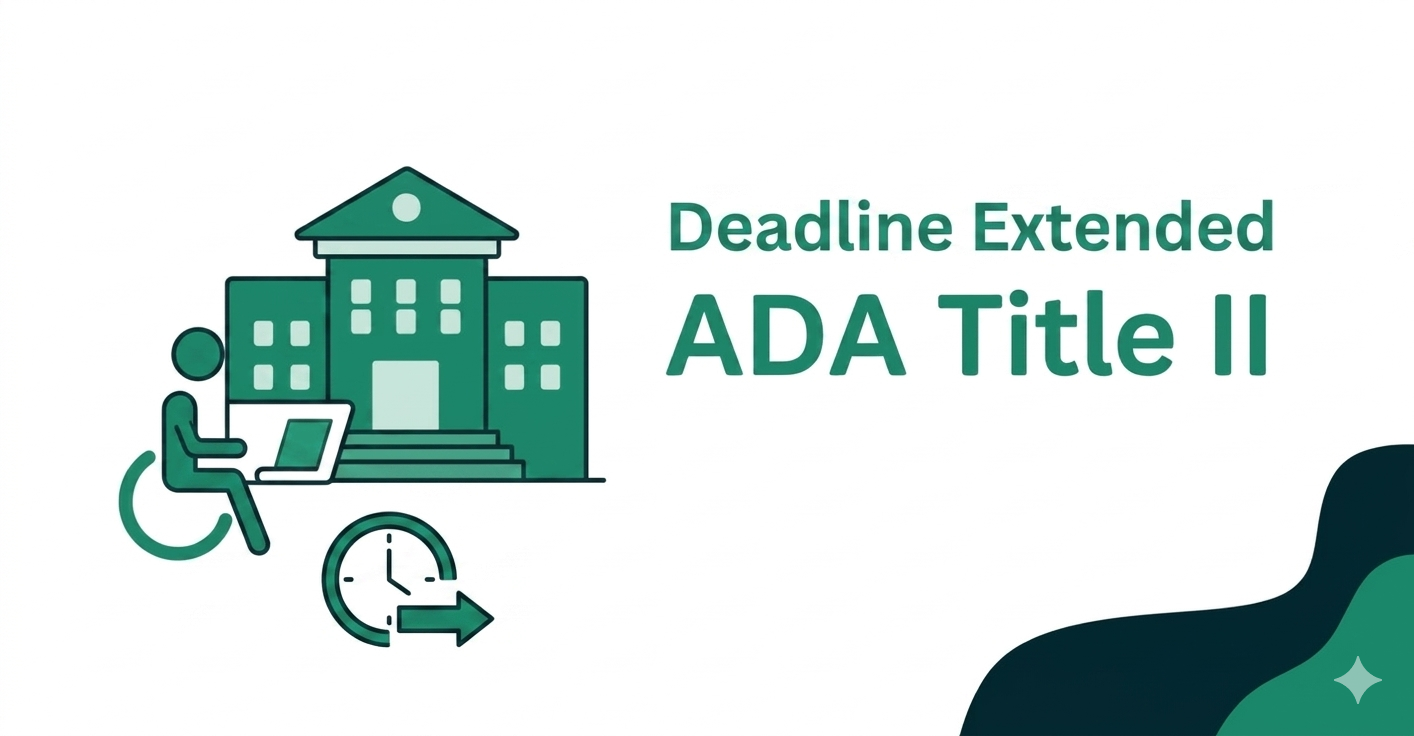
    The regulatory landscape for digital accessibility recently shifted. On April 24, 2024, the Department of Justice (DOJ) published a final rule that established specific technical standards for State and local governments under Title II of the Americans with Disabilities Act (ADA).

    In a recent update, the Department announced a revision to the implementation timeline. This provides public entities with additional time to bring their web content and mobile applications into compliance with WCAG 2.1 Level AA standards.

    The Revised Compliance Timelines

    The extension is categorized by the size of the government entity. Understanding your specific bracket is critical for your upcoming fiscal and technical planning.

    1. Large Entities (Population 50,000+)

    For State and local government entities serving a total population of 50,000 or more, the compliance deadline has been moved.

    • Original Deadline: April 24, 2026
    • Extended Deadline: April 26, 2027

    2. Small Entities and Special Districts

    The updated timeline applies to public entities with a population of less than 50,000 as well as all special district governments, such as water, fire, or school districts.

    • Original Deadline: April 26, 2027
    • Extended Deadline: April 26, 2028

    Why the DOJ Issued an Extension

    The DOJ recognized that many public entities require more time to secure the budget, personnel, and technical resources necessary to audit and remediate vast libraries of digital content. This is particularly true for smaller municipalities and special districts. This extension is intended to allow for a sustainable implementation instead of a rushed approach that might not provide true equity for users with disabilities.

    The Strategic Advantage of the “Compliance Gap”

    The newly added year provides a unique strategic advantage for public entities that choose to act now rather than wait. Instead of treating this as a reason to delay, forward-thinking administrators can use this window to move beyond reactive fixes and build a sustainable accessibility program. This extra time allows you to pilot remediation efforts on smaller departments, conduct thorough staff training, and integrate accessibility into your long-term procurement policies. By starting today, you can solidify your internal workflows and get ahead of the 2027 or 2028 deadlines. This ensures that your entity is a leader in digital inclusion rather than a late adopter rushing to meet a federal mandate.

    Extension vs. Priority: Why Accessibility Still Matters

    While the compliance date has moved, the importance of digital inclusion remains high. It is vital for administrators to understand that this extension is not a pause on accessibility requirements.

    1. Existing Obligations: Even before these specific deadlines, Title II entities have had a long-standing “effective communication” obligation under the ADA. This means you are still legally required to ensure that your services and programs are accessible to people with disabilities today.
    2. The Workload: Web accessibility is not a one-time project. Remediating legacy PDFs, complex web applications, and third-party integrations takes significant time. Waiting until late 2026 to begin will likely lead to a failure to meet the 2027 or 2028 deadlines.
    3. Procurement Cycles: Implementing new accessible software and training staff on inclusive design requires a change in institutional culture. Starting now ensures that every new digital asset created from this point forward is “born accessible.” This prevents the accumulation of more technical debt.

    Official Resources

    For the full text of the ruling and technical specifications, please refer to the following official sources:

    How A11Y Pros Can Help

    At A11Y Pros, we specialize in helping public entities navigate the complexities of Title II compliance. This extended deadline provides a valuable window of time that should be used strategically. We offer the following core services:

    • Forensic Accessibility Audits: We identify exactly where your current sites and apps fall short of WCAG 2.1 AA.
    • VPAT and ACR Authoring: Our team assesses third-party vendor software to ensure your procurement process meets the new standards.
    • Accessibility Remediation: Our team works directly on your code and content to fix existing barriers and bring your digital assets into full compliance.
    • Accessibility Consulting: We provide ongoing expert guidance to help your team navigate policy decisions, technical hurdles, and institutional changes.

    Do not let the extension lead to complacency. Let’s build a digital environment that serves every citizen regardless of their ability.

    Contact A11Y Pros today to schedule a consultation and begin your journey toward full compliance.

  • The $5,000 Web Accessibility Tax Credit: A Small Business Guide

    The $5,000 Web Accessibility Tax Credit: A Small Business Guide

    As a small business owner, you know that making your website accessible to everyone—including the 61 million Americans living with a disability—is the right thing to do. It opens your doors to a massive market and protects you from increasing ADA-related legal risks.

    But we also know that for a growing business, budget is always top of mind.

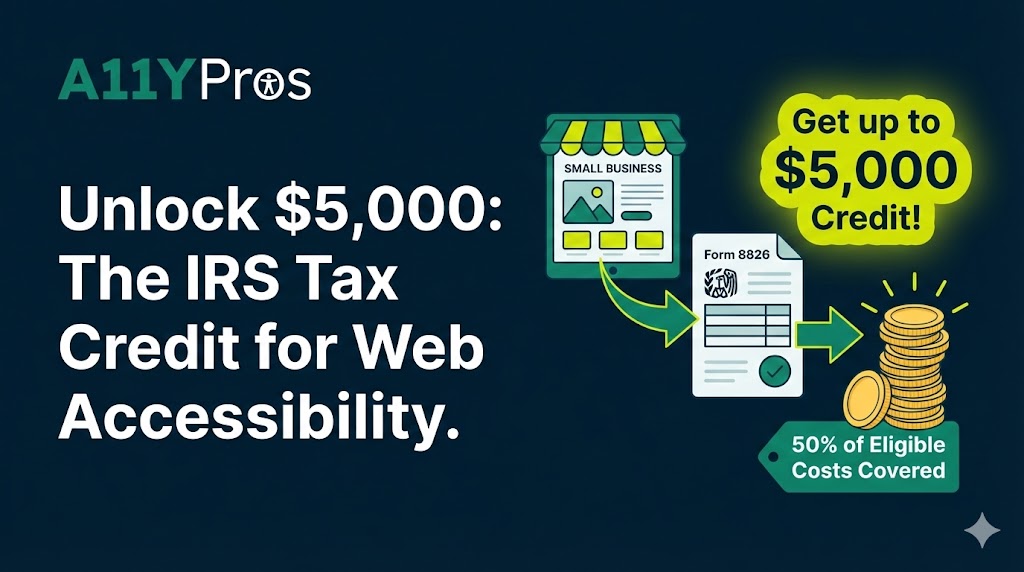
    What if the IRS picked up 50% of the tab for your web accessibility audit and remediation?

    Through IRS Form 8826, many small businesses can claim the Disabled Access Credit, a tax credit specifically designed to help you cover the costs of making your business accessible. Here is how it works and how you can use it to upgrade your digital presence this year.

    What is the Disabled Access Credit (Form 8826)?

    The Disabled Access Credit is part of the General Business Credit. It was created to help small businesses cover “eligible access expenditures” required to comply with the Americans with Disabilities Act (ADA).

    While many people think this only applies to physical ramps or elevators, the IRS definition includes “removing barriers,” “providing auxiliary aids,” and “acquiring or modifying equipment or devices.” In the digital age, this directly applies to making your website accessible to users with visual, auditory, or motor impairments.

    Does Your Business Qualify?

    The IRS defines a “qualified small business” as one that meets one of the following two criteria from the previous tax year:

    1. Total revenues of $1,000,000 or less, OR
    2. Fewer than 30 full-time employees.

    If you fit either of those descriptions, you are eligible to claim the credit.

    How Much is the Credit Worth?

    This isn’t just a “deduction” (which only reduces your taxable income); it’s a credit, which reduces your actual tax bill dollar-for-dollar.

    The credit is calculated as 50% of eligible expenditures between $250 and $10,250.

    • The first $250 is not covered.
    • The maximum expenditure eligible for the credit is $10,250.
    • The maximum annual credit is $5,000.

    The Math in Action:

    If you hire an accessibility consultant for a $5,000 project to audit and fix your website:

    • Total Cost: $5,000
    • Subtract the $250 threshold: $4,750
    • 50% Tax Credit: $2,375
    • Your effective cost for the project: $2,625

    By using the tax credit, you’ve essentially secured a 47% discount on your accessibility compliance.

    What Web Services Are Covered?

    Under the umbrella of “providing auxiliary aids and services,” the following web accessibility efforts typically qualify:

    • Accessibility Audits: Professional reviews of your site’s code and design.
    • Remediation: Fixing your website’s code to meet WCAG 2.1/2.2 standards.
    • PDF Remediation Services: Ensuring your digital documents, brochures, and manuals are fully tagged and readable by assistive technologies.

    How to Claim the ADA Tax Credit

    Claiming the ADA tax credit requires proper documentation and adherence to IRS guidelines. Here’s a step-by-step approach:

    1. Document Your Accessibility Expenses
      Keep detailed records of all website accessibility improvements, including invoices, contracts, and receipts. Ensure that each expense is directly related to accessibility compliance.
    2. Complete IRS Form 8826
      To claim the credit, you must fill out IRS Form 8826, which is specifically designed for the Disabled Access Credit. The form requires:
      • Business details
      • Total accessibility-related expenditures
      • Calculation of the credit amount
    3. Include the Credit in Your Tax Filing
      Once you’ve completed Form 8826, submit it with your business tax return. If you`re unsure how to apply the credit, consult a tax professional to ensure proper filing.

    Why You Should Act Now

    Tax incentives aside, web accessibility is becoming a “must-have” for three major reasons:

    1. Market Reach: People with disabilities have a combined disposable income of nearly $500 billion. If they can’t use your site, they can’t buy from you.
    2. SEO Benefits: Many accessibility best practices (like clean headers and alt-text) are also SEO best practices that help you rank higher on Google.
    3. Legal Protection: ADA title III lawsuits regarding website accessibility have skyrocketed. The cost of a proactive audit is significantly lower than the cost of a legal settlement.

    Get Started Today

    Don’t let the cost of compliance hold your business back. By leveraging the Disabled Access Credit, you can build a more inclusive, high-performing website for a fraction of the price.

    Ready to make your website accessible? Contact us for a free consultation. We’ll help you identify the barriers on your site and provide the documentation you need to help your CPA file Form 8826.


    Disclaimer: While we are experts in web accessibility, we are not tax professionals. You should always consult with your CPA or tax advisor to ensure your business qualifies for the Disabled Access Credit.

  • ADA Title II Web Accessibility: What Small Municipalities Must Do Before April 2027

    ADA Title II Web Accessibility: What Small Municipalities Must Do Before April 2027

    In April 2024, the U.S. Department of Justice issued a final ADA Title II rule requiring state and local governments to make their websites and mobile applications accessible for people with disabilities. For municipalities under 50,000 people, the compliance deadline is April 24, 2027, making now the ideal time to start.

    Who must comply (and when)

    The rule applies to virtually all state and local government entities: cities, towns, villages, counties, school districts, library systems, and special districts that provide programs, services, or information through websites or mobile apps. The deadlines are staggered by population size so smaller governments have an extra year to plan and implement changes.

    • Governments serving 50,000 or more people must comply by April 24, 2026.
    • Governments serving fewer than 50,000 people, and special district governments, must comply by April 24, 2027.
    • There are no size-based exemptions: even the smallest municipalities must ultimately meet the same WCAG 2.1 AA standard.

    What “accessible” means: WCAG 2.1 AA

    To provide clarity, DOJ adopted the Web Content Accessibility Guidelines (WCAG) 2.1 Level AA as the technical standard for covered web and mobile content. WCAG 2.1 AA defines testable success criteria around perceivable, operable, understandable, and robust content, including areas like keyboard access, color contrast, headings, link text, error handling, and mobile responsiveness.

    In practice, that means municipal websites and apps must support common assistive technologies, be usable via keyboard-only navigation, and avoid common barriers like images without text alternatives, inaccessible PDFs, and forms that screen readers cannot use effectively. The rule also covers multimedia, requiring captions for prerecorded and live video content and audio descriptions where appropriate.

    How ADA Title II and Section 508 relate

    Many municipalities have heard of “Section 508 compliance” because federal agencies and some state governments use Section 508 standards for ICT accessibility. Section 508 applies directly to federal agencies and certain federally funded ICT, while ADA Title II applies to state and local government programs and services, including their websites and apps.

    Both frameworks now point to WCAG 2.0/2.1 AA as the accessibility baseline, which means aligning with WCAG 2.1 AA positions municipalities well under both ADA Title II and any 508-based procurement or grant conditions they may encounter. The key difference is enforcement pathway: ADA Title II is a civil rights law enforced through DOJ actions and private lawsuits, while Section 508 is primarily enforced through federal agency oversight and procurement.

    Why small municipalities should start now

    Although smaller entities have until April 2027, the required work often spans multiple budget cycles, vendor contracts, and internal processes. Municipal sites commonly include legacy CMS templates, thousands of documents, and third‑party tools that each require accessibility review and remediation.

    Starting now helps municipalities to:

    • Spread remediation and redevelopment costs over several years instead of rushing near the deadline.
    • Integrate accessibility requirements into upcoming RFPs, CMS upgrades, and redesign projects rather than retrofitting later.
    • Reduce legal exposure under existing ADA obligations even before the specific deadlines take effect.

    A practical roadmap to April 2027

    For small and mid‑sized municipalities, a phased, realistic plan is often the most sustainable path to compliance. A typical roadmap includes:

    1. Baseline audit
      Conduct an independent WCAG 2.1 AA audit of your primary website, high‑traffic subsites, and core web applications (such as bill pay, permit portals, and online request systems). This should cover templates, navigation, key workflows, and sample content types including PDFs and forms.
    2. Prioritize critical services and content
      Focus first on content and tasks related to essential services: public safety, emergency alerts, utilities, elections, public meetings, and core resident services. Align this prioritization with DOJ’s guidance on “first steps” for Title II web accessibility.
    3. Remediate templates and components
      Fix global issues in your CMS templates, design system, and shared components (headers, footers, menus, buttons, form controls) so every page published going forward starts from an accessible baseline. This step usually yields large accessibility gains with relatively fewer changes.
    4. Address documents, media, and third‑party tools
      Identify which PDFs, forms, and multimedia are in active use and plan to convert, replace, or remediate them. Review embedded tools such as payment portals, GIS viewers, and meeting platforms to ensure they meet WCAG 2.1 AA or are replaced with accessible alternatives.
    5. Build accessibility into policy, training, and procurement
      Adopt a written web accessibility policy referencing WCAG 2.1 AA and the ADA Title II rule, and train staff who publish content or manage vendors. Update procurement language so future contracts for web, mobile, and software solutions require accessibility and testing up front.
    6. Monitor, test, and iterate
      Combine automated testing with periodic manual reviews and user testing involving people with disabilities. Treat accessibility as an ongoing quality standard rather than a one‑time compliance project.

    Risks of waiting too long

    The ADA has long required accessible digital services; the new Title II rule clarifies expectations and sets firm deadlines. Waiting until 2026 or 2027 compresses remediation into a short window, often increasing costs and forcing rushed decisions.

    Non‑compliance can expose municipalities to DOJ enforcement, settlement agreements, and private lawsuits that may require rapid, expensive remediation and ongoing reporting. It can also erode public trust when residents with disabilities cannot access critical information or services such as emergency notices, online payments, or public meeting materials.

    How an accessibility consultant can help

    Specialized accessibility consultants can accelerate compliance by bringing focused WCAG 2.1 AA expertise, tooling, and repeatable processes. A11Y Pros provides senior-level specialists who routinely help public entities align their websites and digital services with ADA, Section 508, and WCAG requirements.

    Typical support for municipalities includes comprehensive audits, remediation guidance for internal teams and vendors, targeted training, policy development, and ongoing monitoring aligned with the ADA Title II rule and April 2027 deadline. If you’re ready to understand exactly where you stand, you can schedule a Section 508/ADA Title II readiness audit with A11Y Pros and get a prioritized roadmap tailored to your municipality’s size, budget, and technology stack.

    For small municipalities with limited IT staff, partnering with an experienced consultant can make the difference between scrambling at the last minute and following a manageable, phased plan to meet the April 2027 compliance date. To start that process, contact A11Y Pros to discuss a phased engagement—beginning with a baseline audit and extending through remediation support, staff training, and policy implementation—so accessibility is built into all future digital projects instead of treated as an afterthought.

    .

  • Open Source Accessible React Component Library: Introducing the A11Y Pros Design System

    Open Source Accessible React Component Library: Introducing the A11Y Pros Design System

    Build WCAG 2.1/2.2 AA Compliant UIs Faster with Our Free, Certified Accessible React Components

    Introduction

    Accessibility shouldn’t be an afterthought—it should be built into your foundation. Today, I’m excited to announce the A11y Pros Accessible Design System, a free, open-source React component library designed and certified by a Web Accessibility Specialist (WAS) to meet WCAG 2.1/2.2 Level AA standards.

    Whether you’re building a startup MVP or enterprise application, you now have access to production-ready, fully accessible React components that save development time while ensuring your users—regardless of their abilities—can navigate and interact with your application seamlessly.

    What Problem Does This Solve?

    Building accessible web applications is complex. Developers face several challenges:

    • Time constraints: Implementing accessibility from scratch requires extensive knowledge of WCAG guidelines, ARIA patterns, and keyboard navigation
    • Knowledge gaps: Understanding proper focus management, semantic HTML, and screen reader compatibility isn’t intuitive
    • Inconsistency: Different developers implementing accessibility differently leads to fragmented user experiences
    • Compliance risk: Inaccessible applications expose businesses to legal liability and exclude users with disabilities

    The A11y Pros Design System addresses all of these by providing pre-built, certified accessible components that follow best practices.

    Key Features of the A11y Pros Design System

    WCAG 2.1/2.2 Level AA Compliant

    Every component has been meticulously crafted to meet WCAG Level AA standards. This means:

    Fully Keyboard Navigable

    No mouse required. Every component supports:

    • Tab navigation through interactive elements
    • Arrow key navigation for complex components (tabs, comboboxes, data tables)
    • Escape key to dismiss modals and dropdowns
    • Enter/Space to activate buttons and links

    Screen Reader Optimized

    Built with semantic HTML and proper ARIA labels, these components work seamlessly with assistive technologies like:

    • NVDA (Windows)
    • JAWS (Windows)
    • VoiceOver (macOS/iOS)
    • TalkBack (Android)

    React 18+ and React 19 Support

    Built with modern React, including:

    • Full TypeScript support
    • React 18.2.0 and React 19.0.0+ compatibility
    • Integrates seamlessly with your existing projects

    Built-in Light & Dark Mode

    Semantic color tokens automatically adapt to light and dark themes while maintaining WCAG AA contrast ratios in both modes. Simply add a data-theme attribute to switch themes.

    Accessible to Everyone

    Additional features include:

    • Reduced motion support: Respects prefers-reduced-motion media queries for users with vestibular disorders
    • High contrast support: Respects prefers-contrast for better visibility
    • Focus management: Proper focus trapping and restoration for modals
    • Design token system: Consistent spacing, colors, typography, and motion across components

    Available Components

    The design system currently includes:

    • Button: Accessible buttons with variants, sizes, and loading states
    • Link: Semantic link component with external link detection
    • Modal: Focus-trapped dialog with full ARIA support
    • DataTable: Accessible table with keyboard navigation and sorting
    • Toast: Notification system with ARIA live regions
    • Tabs: Tab component with arrow key navigation
    • Accordion: Expandable content sections with keyboard support
    • Form Components: Input, Textarea, Select, Checkbox, Radio, Fieldset, and Label

    Coming soon: DatePicker, Banner, Phone Text Field, and Combobox components.

    Getting Started in 3 Steps

    1. Install via npm, yarn, or pnpm

    bashnpm install @a11ypros/a11y-ui-components
    

    2. Import and Use

    jsximport { Button, Modal, DataTable } from '@a11ypros/a11y-ui-components';
    
    function App() {
      return (
        <Button variant="primary" size="medium">
          Click me
        </Button>
      );
    }
    

    3. Customize with Design Tokens

    jsximport { colors, spacing, typography } from '@a11ypros/a11y-ui-components';
    
    // Use design tokens in your custom components
    const MyComponent = () => (
      <div style={{ color: colors.primary[600], padding: spacing[4] }}>
        Custom styled component
      </div>
    );
    

    Customization & Design Tokens

    The library exports a comprehensive design token system and utility functions:

    Available Tokens:

    • Colors: WCAG AA compliant palettes (primary, neutral, success, warning, error)
    • Spacing: Consistent spacing scale based on 4px/8px grid
    • Typography: Font sizes, weights, and line heights
    • Breakpoints: Responsive design breakpoints
    • Motion: Animation durations respecting user preferences

    Utility Functions:

    • ARIA helpersannounceToScreenReadergenerateAriaLabel
    • Focus managementtrapFocusrestoreFocusgenerateFocusRing
    • Keyboard helpershandleEscapehandleArrowKeys

    You can override default tokens using CSS custom properties in your application’s global stylesheet, perfect for custom branding while maintaining accessibility standards.


    Why This Matters for Your Business

    Legal Compliance

    ADA and WCAG compliance isn’t optional. Inaccessible digital products expose businesses to costly litigation. Using certified accessible components significantly reduces legal risk.

    Market Reach

    Over 1 billion people worldwide have disabilities. An accessible product reaches a broader audience and improves user retention.

    SEO Benefits

    Accessible websites score better in search rankings. Screen reader-friendly markup, proper heading hierarchy, and semantic HTML all contribute to improved SEO performance.

    Developer Productivity

    No need to reinvent the wheel. Pre-built accessible components mean faster development cycles and less time debugging accessibility issues.


    Built by an Accessibility Expert

    This design system was created and is maintained by a certified WAS (Web Accessibility Specialist) with 10+ years of experience building accessible React applications. Every component includes detailed accessibility documentation, implementation examples, and keyboard interaction patterns.

    Note on Implementation: While these components are built with accessibility in mind, simply using them doesn’t guarantee an accessible application. Proper implementation, thoughtful content, and comprehensive testing are essential for true accessibility. The design system provides the foundation—accessibility success requires commitment at every level.


    Open Source & Community Driven

    The A11y Pros Design System is open source and available on GitHub. We welcome contributions, bug reports, and feature requests from the community.

    Resources:


    What’s Next?

    We’re continuously expanding the component library. Upcoming additions include date pickers, banners, specialized form inputs, and combobox components. All components will maintain our commitment to WCAG 2.1/2.2 Level AA compliance and certified accessibility practices.


    Conclusion

    Building accessible applications doesn’t require months of specialized knowledge. With the A11y Pros Accessible Design System, you have a proven, tested foundation for creating inclusive digital experiences. Whether you’re launching a new product or improving an existing one, these components give you confidence that your UI is both functional and accessible.

    Get started today:

    1. Install via npm: npm install @a11ypros/a11y-ui-components
    2. Explore the Storybook documentation
    3. Build something accessible

    Accessibility is not a feature—it’s a necessity. Let’s build the web together.

  • Digital Accessibility in 2025: The Year Compliance Became Unavoidable

    Digital Accessibility in 2025: The Year Compliance Became Unavoidable

    If there was ever a year that made digital accessibility impossible to ignore, 2025 was it. What started as a slow build of awareness turned into an avalanche of lawsuits, regulatory actions, and international enforcement that left businesses scrambling and compliance consultants working overtime.

    Looking back at the past twelve months, one thing is crystal clear: digital accessibility has moved from a “nice to have” to an absolute business imperative. Here’s what made 2025 the year compliance became unavoidable.

    The Lawsuit Surge: Record Numbers Tell the Story

    The numbers from 2025 are staggering. By mid-year, plaintiffs had filed 2,019 digital accessibility lawsuits, putting the U.S. on track to see over 4,975 lawsuits by year-end, a 20% increase from 2024. Some reports painted an even more dramatic picture, with a 37% year-over-year increase according to analyses comparing the first half of 2025 to the same period in 2024.

    What’s particularly striking isn’t just the volume, but the concentration of legal activity. California led with 3,252 ADA Title III filings, representing a 37% increase from 2023. New York remained the most litigious state overall, but new hotspots emerged that caught many businesses off guard.

    Illinois experienced a shocking 746% spike in lawsuits, jumping from just 28 cases in the first half of 2024 to 237 in the same period of 2025. This dramatic shift stemmed from recent court decisions making the 7th Circuit a more favorable venue for digital accessibility claims, particularly against online-only businesses.

    Who’s Filing All These Lawsuits?

    The legal landscape remained dominated by a small group of highly active players. Just 16 law firms were responsible for over 90% of the cases filed in the first half of 2025, with Manning Law, APC emerging as the leading filer, accounting for over 14% of all lawsuits.

    But it wasn’t just serial plaintiffs driving the surge. One in four lawsuits in 2024 involved repeat defendants, companies that had been sued before and still hadn’t fully remediated their accessibility issues. The message was clear: settling one lawsuit doesn’t protect you from the next one if you don’t actually fix the problems.

    The Industries in the Crosshairs

    E-commerce continued to bear the brunt of accessibility litigation. The sector accounted for 69% of all digital accessibility lawsuits in the first half of 2025. Restaurants and food services were hit particularly hard, facing hundreds of lawsuits over inaccessible ordering systems and reservation platforms.

    But perhaps most concerning was the expansion of legal risk beyond traditional targets. 20% of the top 500 e-commerce retailers received a lawsuit in the first half of 2025. Even companies with significant resources and sophisticated digital teams found themselves defendants in accessibility cases.

    The trend also showed a shift toward targeting larger companies. In the first half of 2025, 36% of sued companies had annual revenue exceeding $25 million, up from 33% in 2024. Plaintiff firms were increasingly focusing on defendants with deeper pockets and greater ability to settle.

    The Widget Fallacy: When “Solutions” Become Liabilities

    Perhaps no trend in 2025 was more significant than the spectacular implosion of the accessibility widget industry.

    For years, companies like accessiBe marketed automated overlay tools as quick, affordable compliance solutions. These widgets promised to make any website accessible with “one line of code,” appealing to businesses seeking an easy fix without expensive remediation work.

    Then came the hammer.

    The FTC Takes Action

    In January 2025, the Federal Trade Commission announced that it would require accessiBe to pay $1 million to settle allegations that it misrepresented the ability of its AI-powered web accessibility tool to make websites compliant with WCAG standards.

    The FTC’s complaint alleged that despite accessiBe’s claims, accessWidget did not make all user websites WCAG-compliant, and that the company deceptively formatted third-party articles and reviews to appear as independent opinions by impartial authors.

    The settlement sent shockwaves through the accessibility industry. The final order, approved in April 2025, prohibits accessiBe from making misleading claims and requires the company to pay $1 million.

    Widgets Didn’t Stop the Lawsuits

    The FTC action confirmed what accessibility advocates had been saying for years: automated widgets don’t actually fix accessibility problems. The proof was in the lawsuit data.

    Plaintiffs filed lawsuits against companies using widgets every month in the first half of 2025, including 132 in February alone. Having a widget installed offered zero protection from legal action because these tools often failed to address code-level accessibility issues that screen reader users actually encounter.

    The message to businesses became unavoidable: there are no shortcuts. Real accessibility requires actual remediation work, not band-aid overlays.

    Europe Gets Serious: The EAA Enforcement Begins

    While American businesses grappled with litigation, their European counterparts faced a different reckoning. The European Accessibility Act came into force on June 28, 2025, requiring compliance across digital products in the EU.

    The EAA wasn’t just another regulation to ignore. Fines for failing to meet accessibility standards can reach up to €500,000 in some countries, with Germany setting maximum fines at €500,000, France ranging from €5,000 to €250,000, and Spain between €5,000 and €300,000.

    More importantly, the EAA applied to any business serving customers in the EU, regardless of where the company was based. American retailers, SaaS providers, and digital service companies suddenly found themselves navigating European accessibility requirements alongside their domestic compliance efforts.

    The scope was comprehensive, covering e-commerce, banking services, telecommunications, and more. And unlike the patchwork of American litigation, the EAA provided clear technical standards through EN 301 549, which incorporates WCAG 2.1 Level AA requirements.

    The Government Deadline Looms

    While private litigation grabbed headlines, government entities faced their own day of reckoning. In April 2024, the Department of Justice published its final rule under Title II of the ADA, and in 2025, the compliance deadlines started to feel very real.

    Public entities serving populations of 50,000 or more face an April 24, 2026 compliance deadline, while entities serving fewer than 50,000 people have until April 26, 2027.

    The rule leaves no ambiguity about requirements. State and local governments must make their websites, web content, mobile apps, and documents WCAG 2.1 AA conformant. This includes everything from city websites to school district portals, library systems, and public transit apps.

    The cost of compliance is substantial, and many municipalities spent 2025 scrambling to inventory their digital assets, conduct audits, and plan remediation projects. Those who waited until the last minute found themselves competing for limited accessibility consulting resources as the deadlines approached.

    High-Profile Settlements

    Several notable settlements in 2025 illustrated both the financial stakes and the scope of remediation required. Fashion Nova agreed to a $5.15 million class action settlement to resolve claims that its website was not compatible with screen-reading software for the blind, with California class members eligible for up to $4,000 each.

    These settlements weren’t just about writing checks. They typically required comprehensive website remediation, ongoing monitoring, and regular accessibility audits for years into the future. The settlements established roadmaps that other companies watched carefully, knowing they might face similar requirements.

    What We Learned

    As 2025 draws to a close, several lessons have crystallized:

    Accessibility can’t be automated away. The widget industry’s collapse demonstrated that there are no shortcuts to real accessibility. Code-level remediation, expert audits, and user testing with people who have disabilities remain essential.

    Litigation risk is expanding geographically. States beyond the traditional hotspots of New York, Florida, and California saw dramatic increases in lawsuit filings. No company can assume they’re safe based on location anymore.

    International compliance is now the norm. With the EAA in force and similar regulations emerging globally, digital accessibility has become a worldwide compliance issue, not just an American concern.

    Government deadlines are real. The Title II rule creates hard deadlines with clear technical standards. There’s no more ambiguity about what state and local governments must do.

    Settlement doesn’t equal immunity. Repeat lawsuits against companies that had previously settled cases showed that one-time fixes aren’t enough. Sustainable accessibility requires ongoing commitment and monitoring.

    Looking Ahead

    As we move into 2026, the pressure will only intensify. Government entities face their first major deadline, the EAA enforcement will mature beyond its initial implementation phase, and private litigation shows no signs of slowing down.

    The businesses that will thrive are those that stop viewing accessibility as a compliance burden and start seeing it as fundamental to good digital design. The 26% of American adults who have some form of disability represent not just a legal obligation, but a massive market opportunity.

    2025 made one thing absolutely clear: digital accessibility compliance is no longer optional. The question isn’t whether to prioritize accessibility, but how quickly you can make it happen and whether you’re willing to do it right the first time.

    At A11y Pros, we help businesses navigate this complex landscape with comprehensive accessibility audits, expert remediation services, and ongoing monitoring to ensure sustained compliance. Whether you’re facing an upcoming government deadline, concerned about litigation risk, or simply committed to making your digital properties accessible to everyone, our team has the expertise to guide you through every step of the process. Don’t wait for a lawsuit or regulatory action to force your hand. The path forward is clear: comprehensive audits, real remediation work, ongoing monitoring, and a commitment to inclusive design. The legal and regulatory landscape has spoken, and 2025 was the year everyone started listening. Contact us today to learn how we can help your organization achieve genuine accessibility compliance.
  • International Day of Persons with Disabilities: Building a More Accessible Digital World

    International Day of Persons with Disabilities: Building a More Accessible Digital World

    Every year on December 3rd, the world observes the International Day of Persons with Disabilities (IDPD), a United Nations-sanctioned day dedicated to promoting the rights and well-being of persons with disabilities. As we mark this important occasion, it’s crucial to reflect on how far we’ve come in creating inclusive digital spaces—and how much work remains to be done.

    Understanding the International Day of Persons with Disabilities

    Established by the United Nations in 1992, the International Day of Persons with Disabilities aims to promote understanding of disability issues and mobilize support for the dignity, rights, and well-being of persons with disabilities. With over 1.3 billion people worldwide living with some form of disability (approximately 16% of the global population), this day serves as a powerful reminder that accessibility is not a niche concern but a fundamental human right.

    Why Digital Accessibility Matters More Than Ever

    In our increasingly digital world, access to online information and services has become essential for full participation in society. From banking and healthcare to education and employment, nearly every aspect of modern life has a digital component. Yet millions of people with disabilities continue to face barriers when navigating websites, mobile apps, and digital documents.

    The Real-World Impact of Inaccessible Digital Experiences

    When digital platforms fail to consider accessibility, the consequences are profound:

    • Economic exclusion: People with disabilities may be unable to apply for jobs, access banking services, or make online purchases independently
    • Educational barriers: Students with disabilities face challenges accessing course materials, participating in online learning, and completing assignments
    • Healthcare limitations: Inaccessible patient portals and telehealth platforms can prevent individuals from managing their health effectively
    • Social isolation: Inability to use social media, communication platforms, and entertainment services compounds feelings of exclusion

    The Business Case for Digital Accessibility

    Beyond the moral imperative, digital accessibility makes sound business sense. Organizations that prioritize accessibility benefit from:

    • Expanded market reach: Tapping into the $13 trillion global disability market
    • Improved user experience: Accessible design principles benefit all users, not just those with disabilities
    • Legal compliance: Meeting ADA, Section 508, and WCAG requirements reduces litigation risk
    • Enhanced SEO: Many accessibility best practices align with search engine optimization
    • Brand reputation: Demonstrating commitment to inclusion strengthens customer loyalty and trust

    Key Principles of Digital Accessibility

    Creating accessible digital experiences requires understanding and implementing the Web Content Accessibility Guidelines (WCAG), which are organized around four fundamental principles, often remembered by the acronym POUR:

    Perceivable

    Information must be presented in ways users can perceive, including providing text alternatives for images, captions for videos, and sufficient color contrast.

    Operable

    Users must be able to navigate and interact with interfaces using various input methods, including keyboards, screen readers, and voice commands.

    Understandable

    Content and interfaces should be clear, predictable, and easy to comprehend, with consistent navigation and helpful error messages.

    Robust

    Digital content should work reliably across different technologies, browsers, and assistive devices now and in the future.

    Common Digital Accessibility Barriers

    Understanding common accessibility issues helps organizations prioritize improvements:

    • Images without alternative text that screen readers can interpret
    • Videos lacking captions or transcripts
    • Poor color contrast making text difficult to read
    • Keyboard navigation traps or missing focus indicators
    • Forms without proper labels or error identification
    • Complex navigation structures without clear landmarks
    • Time-limited content that doesn’t allow users adequate time
    • Documents and PDFs that aren’t properly tagged for screen readers

    Taking Action: Steps Toward Digital Inclusion

    Organizations committed to digital accessibility should:

    1. Conduct accessibility audits to identify barriers in existing digital properties
    2. Implement WCAG 2.1 Level AA standards as a baseline for all digital content
    3. Train staff on accessibility best practices and inclusive design principles
    4. Include people with disabilities in user testing and feedback processes
    5. Establish accessibility policies and integrate them into development workflows
    6. Remediate existing content, prioritizing high-traffic pages and critical user journeys
    7. Monitor and maintain accessibility standards as content and features evolve

    The Path Forward

    As we observe the International Day of Persons with Disabilities, let’s renew our commitment to building a digital world that truly works for everyone. Accessibility isn’t a one-time project or a checkbox to tick; it’s an ongoing journey that requires sustained attention, resources, and cultural change.

    Every inaccessible website, app, or document represents a barrier to someone’s independence, opportunity, and dignity. But every accessible digital experience we create opens doors, empowers individuals, and moves us closer to the inclusive society we aspire to build.

    How A11y Pros Can Help

    At A11y Pros, we’re dedicated to making the digital world accessible to everyone. Our comprehensive services help organizations meet their accessibility goals and legal obligations while creating better experiences for all users:

    • ADA and WCAG Audits: Thorough assessments of your digital properties against current accessibility standards
    • PDF Remediation: Making documents fully accessible and compliant with Section 508 and PDF/UA standards
    • Expert Remediation: Hands-on fixing of accessibility issues in websites, applications, and digital content
    • Accessibility Consulting: Strategic guidance on building accessibility into your organization’s processes and culture

    Whether you’re just beginning your accessibility journey or looking to enhance your existing practices, A11y Pros provides the expertise and support you need to create digital experiences that welcome everyone.

    Contact us today to learn how we can help make your digital presence truly inclusive.

  • Accessibility in Design Systems: Building the Foundation for Compliant Products

    Accessibility in Design Systems: Building the Foundation for Compliant Products

    Design systems are no longer just about visual consistency. They’re a critical foundation for preventing accessibility failures, reducing remediation costs, and supporting compliance with ADA, EAA, and WCAG standards.

    Accessible design systems address a pressing need: in 2025, 94.8% of home pages had detectable WCAG violations, many stemming from repeated component errors like buttons without focus indicators, modals that trap keyboard users, and forms without proper error messaging. Fix these issues once in your design system, and you prevent them from propagating across every page, product, and team.

    Important: An accessible design system provides essential building blocks, but doesn’t guarantee full application accessibility. Even with accessible components, implementation issues can still create barriers. Developers can misuse components, create problematic page layouts, omit required labels, or break keyboard navigation through custom code. Your design system creates the foundation: governance, training, and comprehensive testing ensure compliance at the application level.

    This guide helps product owners, developers, and design leads build an accessibility-first design system using Figma, component libraries, and automated testing.

    Why Accessibility Must Be Built Into Your Design System

    One fix equals global compliance

    Update a single button component and instantly fix hundreds of instances across your app.

    Faster QA and fewer bugs in production

    Automated testing using tools like axe-core can help catch accessibility issues early. Research shows that automated tools found 57% of issues by volume in Deque’s analysis of 13,000+ pages, though manual testing remains essential for comprehensive coverage.

    Stronger RFPs and enterprise contracts

    Deliver VPAT-ready documentation that proves compliance at the component level.

    Improved SEO and user experience

    Semantic structure, proper labeling, and keyboard support help search engines and all users.

    What Your Design System Can’t Fix

    Design systems alone cannot prevent every accessibility issue. They can’t address:

    • Content-level decisions: Writing meaningful alt text, creating logical heading hierarchies, and providing clear labels
    • Page structure: Navigation flows, skip links, landmark regions, and reading order
    • Component usage context: The same image may require different descriptions depending on context; forms need specific error messages based on their purpose
    • Layout and responsive design: How components adapt to different zoom levels, viewport sizes, and screen orientations
    • Third-party integrations: External widgets and embedded content

    Having accessible components doesn’t guarantee an accessible page—always test complete pages and user journeys.

    Step 1: Figma – Design with Accessibility Tokens from the Start

    Don’t leave accessibility to developers. Embed it in your design tokens during the earliest phase.

    Essential Accessibility Tokens to Define:

    Token: focus/ring-color
    Value: #0066FF
    WCAG Reference: 2.4.7 Focus Visible

    Token: focus/ring-width
    Value: 3px
    WCAG Reference: Non-text contrast ratio of 3:1 or higher

    Token: spacing/touch-target
    Value: 44px minimum
    WCAG Reference: 2.5.5 Target Size

    Token: color/aa-large
    Value: #1A1A1A on #FFFFFF
    WCAG Reference: 1.4.3 Contrast for large text

    Figma Accessibility Audit Checklist

    • Focus indicators clearly visible in high-contrast mode
    • All interactive elements meet 44×44 px touch target minimum
    • All text and icon combinations pass AA contrast (or AAA for enterprise)
    • Image components include required alt text placeholders
    • Keyboard navigation order matches logical reading flow

    Recommended Figma Plugin: A11y – Color Contrast Checker (free)

    Step 2: Build Accessible Components That Scale

    Focus on the four most common problem areas: buttons, modals, forms, and data tables.

    Key Principles for Every Component

    • Use semantic HTML elements (never <div> for buttons or links)
    • Include visible focus indicators that meet WCAG 2.4.7
    • Ensure touch targets are at least 44px tall and wide
    • Add proper ARIA labels and roles for screen readers when necessary
    • Support full keyboard navigation (Tab, Enter, Escape)

    WCAG Success Criteria Covered:

    Remember: Page-Level Concerns

    Semantic HTML and ARIA in components are starting points. Implementation must address heading hierarchy, skip links, landmarks, and content reading order.

    Step 3: Automate Accessibility Testing in CI/CD

    Catch issues before they ship. Add accessibility testing to your GitHub Actions, GitLab CI, or Jenkins pipeline.

    Recommended Tools

    • Storybook + Chromatic – Visual regression with a11y snapshots
    • axe-core – Catches 57% of WCAG issues automatically
    • pa11y – Full-page accessibility reports

    Understanding Automated Testing Limits

    According to Accessible.org’s analysis, roughly 13% of WCAG 2.2 AA criteria can be flagged with mostly accurate results, while approximately 45% can be partially detected with varying reliability. The remaining 42% cannot be detected at all by automated tools.

    In practical terms, the UK Government Digital Service found that the best performing automated tool detected 40% of known accessibility barriers, while the worst performing tool only picked up 13%. These tools excel at finding technical violations but cannot evaluate subjective qualities like whether alt text accurately describes an image or if content is clear and understandable.

    Critical gaps automated tools miss:

    • Context-dependent alt text quality
    • Logical reading order and heading structure
    • Full keyboard navigation patterns
    • Screen reader user experience
    • Cognitive accessibility issues

    Run automated tests on every pull request and fail builds for critical issues, but always supplement with manual testing.

    Step 4: Document Components for VPAT and Compliance Reporting

    Create a living accessibility compliance report for your design system.

    Example Documentation Format

    Component: Primary Button
    WCAG 2.2 AA Success Criteria: 1.4.3, 2.4.7, 2.5.5
    Tested With: axe DevTools, NVDA screen reader
    Notes: 3px focus ring, 44px min height, semantic <button> element

    Component: Modal Dialog
    WCAG 2.2 AA Success Criteria: 2.1.2, 4.1.2
    Tested With: Keyboard navigation, VoiceOver
    Notes: Focus trap enabled, aria-modal="true", Escape to close

    Export this report as a PDF and attach it to VPAT/ACR requests. Learn more in our guide: What Is a VPAT and Do I Need One?

    Final Checklist: Is Your Design System Truly Accessible?

    • All interactive elements have visible focus indicators
    • Touch targets meet 44px minimum in mobile and desktop
    • Color contrast tokens are enforced across all themes
    • ARIA roles and labels are documented and consistent
    • Automated accessibility tests run in CI/CD
    • Component library includes WCAG compliance mapping

    FAQ: Accessbility in Design Systems

    How do I ensure focus indicators are visible across all themes?

    Define a focus/ring-color token with a contrast ratio of at least 3:1 against both light and dark backgrounds . Test in Figma using the A11y Color Contrast Checker plugin, and enforce the same rule in CSS with focus-visible:ring.

    How do I scale accessibility audits when my design system has 50+ components?

    Prioritize high-impact components first: buttons, forms, modals, navigation, and data tables. Use Storybook to isolate them, run axe-core in Chromatic, and create a shared compliance report. Audit new components during design review, not after release..

    How should I handle dark mode accessibility?

    Test color contrast in both light and dark themes. Use the CSS prefers-contrast: high media query to support Windows High Contrast mode users .

    My team uses Sketch, not Figma. Does this still apply?

    Absolutely. Use the Stark plugin for contrast checking, focus order, and alt text (the same principles apply across tools).

    Should I document ARIA roles in Figma or only in code?

    Do both. In Figma, add ARIA labels as component descriptions or comments. In code, include them in your documentation file (e.g., components.md). This ensures designers and developers stay aligned and supports VPAT reporting.

    Can automated tools like axe-core catch all component issues?

    No. axe-core catches about 57% of WCAG violations . Use it in CI/CD for fast feedback, but always follow up with manual testing using screen readers (NVDA, VoiceOver) and keyboard navigation.

    Ready to Make Your Design System Accessibility-Compliant?

    Stop fixing the same WCAG errors across every sprint. Let us audit one of your core components live and show you exactly what’s missing.

    Book a Free 15-Minute Accessibility Audit
    We’ll review your button, modal, or form (and give you a compliance score on the spot).

  • How to Make Social Media Inclusive: Accessibility Tips & Benefits

    How to Make Social Media Inclusive: Accessibility Tips & Benefits

    Making social media content accessible ensures everyone, including users who are blind, low vision, Deaf, hard of hearing, or have cognitive or motor disabilities, can participate fully in online conversations. This fosters community, reduces legal risk, and expands your audience reach. Most importantly, it’s the right thing to do.

    Key Principles for Managing Accessible Social Media

    Add Alt Text to Images

    Every photo or graphic should include descriptive alternative text so screen readers can convey meaning to users who can’t see images. Disability:IN’s accessibility guide offers a great overview of how to write clear, effective alt text.

    Caption and Transcribe Videos

    Videos should always have captions for Deaf and hard-of-hearing users, and audio content should include transcripts. Tools like Metricool’s accessibility checklist provide practical tips for ensuring your video content reaches everyone.

    Use CamelCase for Hashtags

    Capitalize each word in multiword hashtags (for example, #DigitalInclusion) to make them easier for assistive technologies to read. The University of Virginia’s social media accessibility guide explains how small formatting tweaks like this can improve accessibility.

    Limit Emojis and Decorative Fonts

    Using too many emojis or nonstandard fonts can confuse assistive tech. Stick with standard Unicode emojis and platform fonts for clarity. Harvard’s accessibility recommendations for social media provide a helpful reference for maintaining readability.

    Choose High-Contrast Visuals

    Graphics, infographics, and memes should always maintain strong color contrast for legibility. You can find color contrast tips and examples in Metricool’s accessibility article.

    Write in Plain Language

    Simple, direct posts are easier for everyone to understand—including users with cognitive or learning disabilities. Northeastern University’s IT Services recommends writing in plain language to ensure your message is clear and inclusive.

    Describe Links Clearly

    Avoid generic phrases like “click here.” Instead, make your links descriptive—such as “See our full accessibility guide.”

    Avoid Flashing Content

    Rapid flashing or strobing visuals can trigger seizures in some viewers. Always avoid these effects or provide adequate warnings and alternatives.

    Use Content Warnings

    For sensitive topics, include a short content warning to give users control over their experience.

    Platform-Specific Accessibility Features

    Each social platform offers its own accessibility tools. Here are the essentials to enable as you publish—and if you want a deeper walkthrough, see UVA’s guide to accessible social media.

    Facebook

    • Accessibility resources: Facebook maintains an Accessibility Support page.
    • Alt text for images: Add descriptive alt text so screen reader users can understand your visuals.

    X (formerly Twitter)

    • Alt text: Provide clear descriptions for images.
    • Captions: Ensure all videos include accurate captions.
    • GIF labels: Label GIFs or add descriptive copy to clarify motion and context.

    Instagram

    • Alt text & sticker captions: Add alt text to images and use sticker captions in Stories.
    • Auto captions: Turn on auto-captioning for videos, then review and edit for accuracy.

    LinkedIn

    • Alt text for images: Add descriptive text when uploading photos so screen reader users understand the visuals.
    • Captions for videos: Upload caption files (SRT format) to make videos accessible to Deaf and hard-of-hearing users.
    • Hashtag readability: Use CamelCase in hashtags for better screen reader pronunciation.
    • Post formatting: Keep paragraphs short and avoid decorative fonts or emoji strings that disrupt screen readers.

    YouTube and Vimeo

    • Auto captions with manual edits: Start with auto-generated captions, then edit for correctness and timing.
    • Custom caption files: Upload your own caption tracks to ensure quality.

    How A11Y Pros Can Help

    A11Y Pros guides organizations in building accessible marketing strategies and trains teams to implement best practices across all digital channels. Our experts monitor accessibility trends, legal updates, and platform changes so you don’t have to.

    Ready to make your social presence truly inclusive?

    Contact A11Y Pros for an accessibility audit or custom social media workshop—let’s build a digital space where everyone belongs.

  • Accessibility Testing for AI: Why Manual Verification Matters More Than Ever

    Accessibility Testing for AI: Why Manual Verification Matters More Than Ever

    AI is everywhere — from chatbots on customer service portals to generative copilots that help users complete complex tasks. But as organizations race to adopt these technologies, one truth is often overlooked: AI interfaces require accessibility testing that goes far beyond automation.

    Accessibility scanners can provide a baseline, but they simply aren’t equipped to detect many of the challenges introduced by dynamic, generative systems. If your testing strategy stops at automation, you’re almost guaranteed to miss barriers that will frustrate users, invite lawsuits, and damage your brand.

    At A11Y Pros, we specialize in accessibility audits that combine automated scans with deep manual testing, ensuring AI-powered applications meet WCAG 2.2 and global compliance standards.

    Why Automated Testing Falls Short for AI

    Automated accessibility tools are useful for catching code-level issues like missing alt text, poor color contrast, or empty form labels. But when it comes to AI, here’s what they can’t reliably evaluate:

    • Dynamic Responses: A chatbot generating different answers each time can confuse screen readers if live regions and focus aren’t managed correctly. Scanners don’t simulate those real-time changes.
    • Context Shifts: Generative assistants often update suggestions mid-task. Automated tools won’t detect whether those changes disrupt keyboard navigation or disorient users.
    • Cognitive Load: Tools can’t assess whether AI output is overwhelming, jargon-heavy, or lacking summary options for users with cognitive disabilities.
    • Custom Components: Many AI apps use non-standard chat bubbles, sliding panels, or autocomplete widgets. Scanners won’t tell you if those are semantically exposed to assistive tech.

    Simply put: automation can confirm that some code looks accessible, but only manual testing shows whether it’s usable.

    What Manual Testing Adds

    Manual accessibility testing ensures AI applications are inclusive in practice, not just in theory. A11Y Pros uses methods such as:

    • Screen Reader Testing: Verifying that NVDA, JAWS, VoiceOver, and TalkBack announce generative content correctly.
    • Keyboard-Only Testing: Ensuring smooth navigation through AI-driven dialogs, autocomplete suggestions, and dynamic updates.
    • Cognitive Accessibility Reviews: Checking if AI outputs can be simplified, summarized, or clarified for users who may struggle with long generative responses.
    • Cross-Browser & Device Validation: Testing behavior across platforms where assistive tech interacts differently.

    These methods catch the usability gaps that automated tools consistently miss.

    Why This Matters More Than Ever

    AI accessibility isn’t just a “nice-to-have.” It’s becoming a legal requirement:

    • ADA Title II (2026 deadline): State and local government services must meet digital accessibility standards.
    • European Accessibility Act (2025 deadline): Products and services — including AI-powered apps — must be accessible to the public.
    • Section 508 Refresh: Federal agencies and vendors must demonstrate WCAG compliance in procurement, increasingly covering AI-driven software.

    Companies that don’t go beyond automated scans risk failing audits, losing contracts, or facing lawsuits. Manual testing is your insurance against those outcomes.

    How A11Y Pros Can Help

    At A11Y Pros, our senior consultants perform comprehensive AI accessibility audits that go beyond surface-level scans. We:

    • Combine automated tools with rigorous manual testing across assistive technologies.
    • Provide code-level remediation guidance tailored to AI-driven interfaces.
    • Verify compliance with WCAG 2.1 AA, ADA, Section 508, and the European Accessibility Act.
    • Offer ongoing consulting to help development teams bake accessibility into their AI workflows from the start.

    With no juniors and no interns, just seasoned experts, we deliver practical results that reduce risk and ensure inclusivity.

    Conclusion

    As AI reshapes digital experiences, accessibility testing must evolve to keep up. Automated scans are a start — but they aren’t enough to guarantee compliance or usability. Manual verification is the only way to truly understand how AI-driven apps perform for people with disabilities.

    Organizations that prioritize this now will not only avoid risk but also build AI products that are usable, inclusive, and future-proof.

    Ready to verify your AI product’s accessibility? Contact A11Y Pros for a comprehensive audit.

  • Navigating the European Accessibility Act (EAA): A Guide for U.S. Websites

    Navigating the European Accessibility Act (EAA): A Guide for U.S. Websites

    The European Accessibility Act (EAA), which came into effect on June 28, 2025, represents a significant shift in global digital accessibility standards. While the legislation directly applies to EU member states, it also has far-reaching implications for U.S.-based businesses with a digital presence in Europe. If your company sells products or services to EU consumers or operates a website or app accessible in the EU, you need to understand what the EAA means for your organization.


    What is the European Accessibility Act (EAA)?

    The EAA is an EU directive aimed at harmonizing accessibility requirements across member states to ensure people with disabilities have equal access to key products and services. It covers:

    • Websites and mobile apps
    • E-commerce platforms
    • Banking services
    • E-books and e-readers
    • Ticketing machines and ATMs
    • Telephony and emergency communications


    Who Needs to Comply?

    While the EAA primarily targets businesses operating within the EU, non-EU companies must also comply if they:

    • Sell goods or services to EU consumers
    • Operate websites or apps targeting EU markets
    • Rely on EU-based partners or platforms to deliver services

    Failure to comply could result in blocked market access, reputational damage, and financial penalties depending on enforcement by individual EU countries.


    Key Accessibility Requirements

    The EAA aligns closely with WCAG 2.1 Level AA standards. Key requirements include:

    • Text alternatives for non-text content
    • Keyboard navigation
    • Sufficient color contrast
    • Resizable text without loss of content or functionality
    • Clear and consistent navigation
    • Accessible forms and error messages


    Steps U.S. Businesses Should Take

    1. Audit Your Digital Assets

    • Conduct accessibility audits on your websites, apps, PDFs, and multimedia content
    • Use automated tools (like axe or WAVE) and manual testing with screen readers

    2. Ensure WCAG 2.1 AA Compliance

    • Ensure your entire website or application meets WCAG 2.1 Level AA standards.
    • Compliance includes accessible navigation, color contrast, form elements, and multimedia.
    • Remediation should be performed by a professional web developer with accessibility expertise to ensure thorough and standards-based implementation.

    3. Create an Accessibility Statement

    • Publish a public-facing statement outlining your accessibility policy and contact information for support

    4. Implement an Ongoing Accessibility Plan

    • Train developers and content creators
    • Include accessibility checks in your QA process
    • Schedule periodic re-audits


    Benefits of Proactive Compliance

    Beyond legal risk mitigation, complying with the EAA can:

    • Expand your customer base to include the 80 million+ EU citizens with disabilities
    • Improve SEO and overall user experience
    • Demonstrate corporate social responsibility and inclusivity

    Conclusion

    The European Accessibility Act is not just a compliance burden—it’s a call to action for global digital inclusivity. U.S. businesses that proactively align with EAA requirements will not only avoid penalties but also gain a competitive advantage in the European market. Start with an audit, fix the gaps, and build accessibility into your digital DNA.

    For expert guidance on WCAG compliance and accessibility audits, contact the team at a11ypros.com.